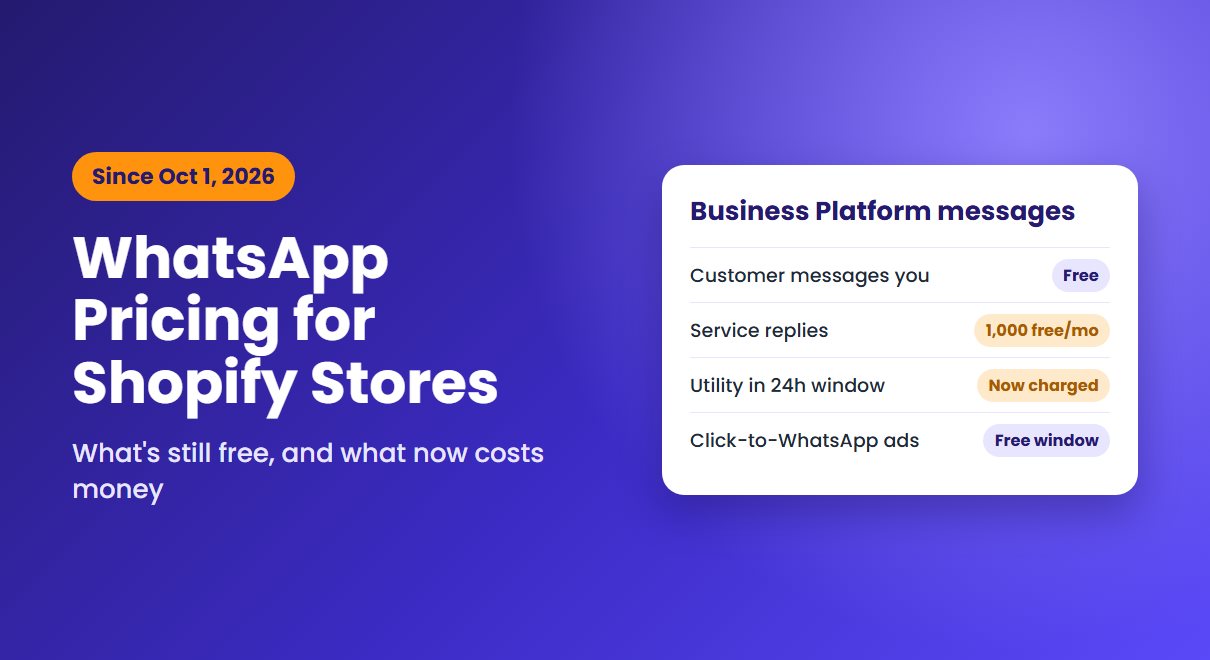
On October 1, 2026, Meta started charging for two kinds of WhatsApp business messages that had been free. If you sell on Shopify and talk to customers on WhatsApp, whether this costs you anything starts with one question: are you using the WhatsApp Business app, or the WhatsApp Business Platform?
First, which WhatsApp are you using?
The WhatsApp Business app is the one on your phone. WhatsApp describes it as free to download and ideal for small businesses. Meta's per-message pricing doesn't apply to it. If a chat button on your store opens a conversation with your number and you reply from the app, the October change doesn't touch you.
The WhatsApp Business Platform is the API, usually connected through a messaging provider or a Shopify app. It's what sends automated order updates, reminders and bulk campaigns. Since July 1, 2025, Meta has charged per delivered message on the Platform, and that's where the October change applies.

What changed on October 1, 2026
On the Platform, there are two kinds of messages. Template messages, which Meta sorts into marketing, utility and authentication, can be sent at any time. Non-template "service" replies can only be sent within 24 hours of the customer's last message.
Two of these used to be free and now aren't:
- Service replies. Free since November 2024, they're now charged per message. Each business phone number gets 1,000 free delivered service messages a month, and unused ones don't roll over.
- Utility templates sent in reply to a customer. Order and shipping updates sent while the 24-hour window is open had been free since July 2025. Now they're charged too.
Rates depend on the country of the person you're messaging. Meta published the new service message rates on September 1, 2026, and they match the utility and authentication rates in each market.
What's still free, and what costs money
- Messages customers send you: still free.
- Your service replies within 24 hours: the first 1,000 each month are free, then each one is charged. These were free before October 1.
- Utility templates sent in an open 24-hour window: now charged. These were free before October 1.
- Marketing templates: charged, as before.
- Messages after a click-to-WhatsApp ad: still free while the free entry point window is open.
That last point matters if you advertise. When someone messages you from a click-to-WhatsApp ad on their phone and you reply within 24 hours, Meta opens a free entry point window that can stay open for up to seven days. Marketing, utility, authentication and service messages sent while it's open aren't charged.
If you use Meta's own AI agent to answer customers, that's billed separately. Since August 1, 2026, Meta Business Agent messages cost $2 per million tokens, which Meta estimates at roughly 4 to 5 cents a message.
Five ways to keep your WhatsApp costs down
1. Let customers start the conversation
Inbound messages are free, and a conversation the customer opens gives you 24 hours to answer. A chat button such as Whatsy lets shoppers message your store's WhatsApp number straight from a product page, which is often the moment they have a question. As we covered in our look at what AI-referred shoppers need when they land, that last question often decides the sale.
2. Reply inside the window, and say it once
Every delivered message counts once your free 1,000 are used. One complete reply costs less than three short ones. Answering within 24 hours also lets you use ordinary service replies, the first 1,000 of which are free each month, instead of paid templates.
3. Audit your automated messages
List every template your apps send, such as order confirmations, shipping updates and promotions, and check which ones customers actually need on WhatsApp. Some can move to email at no per-message cost from Meta. For cart recovery, Cartly follows up by email and web push instead.
4. Add a payment method
Without one, Meta stops delivering service messages once your free tier runs out. If customers rely on WhatsApp for support, check that a payment method is set up in Meta's Billing Hub before your busiest weeks.
5. Use click-to-WhatsApp ads deliberately
The free entry point window makes follow-up messages to ad responders free for up to a week. If you already run Meta ads during the holiday season, sending some of them to WhatsApp lets you continue the conversation without per-message charges.
Where to start
Check how you send WhatsApp messages today. If you only reply from the Business app, nothing has changed. If an app or provider sends messages through the Platform, ask it for last month's message counts by category, and compare them with Meta's rates for the countries you sell to. With Black Friday on November 27, it's worth knowing that number before volumes spike.