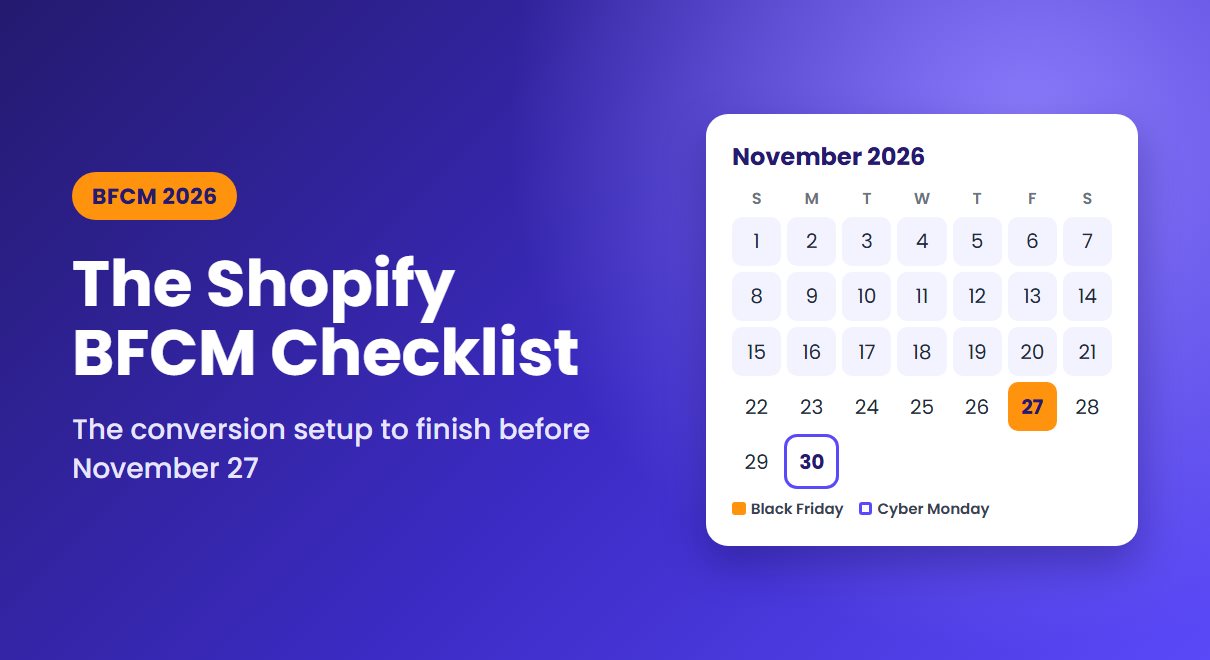
Black Friday falls on November 27 this year, and Cyber Monday on November 30. Adobe expects US shoppers to spend $275.1 billion online between November 1 and December 31, with $47.5 billion of it during Cyber Week alone.
The bigger shift is when that money gets spent. Last season, 25 separate days topped $4 billion in US online sales, up from 18 the year before. Adobe also forecasts $95.8 billion in online spending this October, before the holiday season has officially started. A store still installing apps on November 20 is late.
This checklist works backwards from November 27, one deadline at a time.

The BFCM 2026 timeline at a glance
| Window | Finish this | Why it can't wait |
|---|---|---|
| Oct 8 – Oct 23 | Grow and warm up your email list | Subscribers who join in late November are too new to warm up |
| Oct 26 – Nov 6 | Speed audit and checkout testing | Fixes need time to test before traffic peaks |
| Nov 9 – Nov 20 | Offers, urgency and cart recovery live | Early deals start well before Black Friday |
| Nov 23 – Nov 30 | Change freeze and monitoring | Peak days are the worst time to debug |
1. Build the list you'll sell to (by October 23)
Every subscriber you add now is someone you can reach on Black Friday without paying for the click. Give people a specific reason to sign up: early access to your sale beats a vague promise of "updates".
Keep the form short, because every extra field is one more reason to close it. A gamified signup such as Wheelify's spin-to-win popup works well in October because the prize can be the early-access code itself. We covered how to set one up without annoying visitors in our guide to spin-to-win popups.
Make sure your emails will actually arrive
Gmail's sender guidelines require anyone sending 5,000 or more messages a day to Gmail addresses to authenticate with SPF, DKIM and DMARC, offer one-click unsubscribe, and keep the spam rate in Postmaster Tools below 0.30%. Google recommends staying under 0.10%.
Your email app handles the sending, but the DNS records on your domain are your job. If you're not sure they're set up, read our walkthrough on why emails go to spam. Then send two or three campaigns to your most engaged subscribers in October, so your Black Friday email isn't your first big send in months.
2. Fix speed and checkout (by November 6)
Adobe expects 57.4% of holiday online spending to happen on phones, rising to 63% on Thanksgiving. Test your store on a mid-range phone over a mobile connection, not on office Wi-Fi.
Small speed gains matter. In a Deloitte study for Google, making mobile sites 0.1 seconds faster raised retail conversion rates by 8.4%. On Shopify, the usual culprit is app scripts. Turn off apps you won't use during the sale, and check your theme for code left behind by apps you've already uninstalled.
Then walk through checkout the way a customer would.

Three of these are fixable before Black Friday. According to Baymard, 40% left because extra costs were too high, 18% because the site wanted them to create an account, and 12% because they couldn't see the total cost up front. Show shipping costs or your free-shipping threshold on product and cart pages, keep guest checkout on, and switch on accelerated checkouts. Shop Pay handled 32% of orders on Shopify during BFCM 2025.
3. Make the offer obvious (by November 20)
A shopper arriving from an Instagram ad should understand your deal within seconds: what's discounted, by how much, until when, and how far they are from free shipping. A progress bar in the cart answers that last question and gently raises order value. Sales Pop up includes one, along with recent-sales notifications that show other people are buying.
Urgency works when it's true. Your countdown should end when the sale ends, and low-stock alerts should reflect real inventory. The FTC's dark patterns report specifically calls out "countdown timers on offers that are not actually time-limited." TimexBar can tie timers to a real end date and stock bars to actual inventory. For more on this, see urgency that shoppers believe.
4. Set up cart recovery before the rush (by November 20)
Baymard puts the average cart abandonment rate at 70.22%, and BFCM shoppers keep several tabs open while they compare deals. Plan for abandoned carts rather than hoping to avoid them.
Shopify's built-in abandoned checkout email only starts once a shopper has typed an email address into checkout. If they leave from the cart page, there's nobody to email. Cartly captures the email earlier and follows up by email and web push. For shoppers who have only switched tabs, an animated browser-tab reminder can pull them back before they're gone.
Tighten your timing for the sale. If the deal ends Monday at midnight, a reminder the following Wednesday is useless. Send the first message within an hour and the last one before the offer expires. Then test it end to end: abandon a cart yourself, and check that every message arrives, the link restores the cart, and the discount code works. Our guide to recovering abandoned carts covers the full sequence.
5. Freeze changes and watch (November 23–30)
From Monday, November 23, stop installing new apps and stop editing your theme. Decide who checks orders, inventory and site speed over the weekend, and agree in advance what would make you roll a change back. Keep a list of every live discount code and when it expires.
Don't switch everything off on December 1. Spending is spread across the whole season now, so keep your recovery flows and email list working into December.